PhantomTrace: Checking Whether NTFS Agrees With Itself
Most NTFS tools tell you what the file system says. I wanted one that checks whether the file system agrees with itself.
NTFS describes the same disk in several places: the MFT records, the cluster bitmap, the run lists that say where each file’s data lives, the mirror of the first few records. When a disk is used honestly, those descriptions stay consistent. When someone edits one layer by hand (to hide data, resurrect a deleted entry, or cover their tracks) the others often don’t follow. Corruption does the same thing, which is why the tool reports inconsistencies, not verdicts.
PhantomTrace reads a raw image or device, never writes to it, and tells you where the layers disagree.
What it looks for
- A record marked “free” in its own header but “allocated” in the MFT bitmap.
- Clusters a file owns that the volume bitmap says are free.
- Two files claiming the same cluster.
- Data runs that point outside the volume.
- Records that fail their update-sequence check.
- The first MFT records disagreeing with
$MFTMirr.
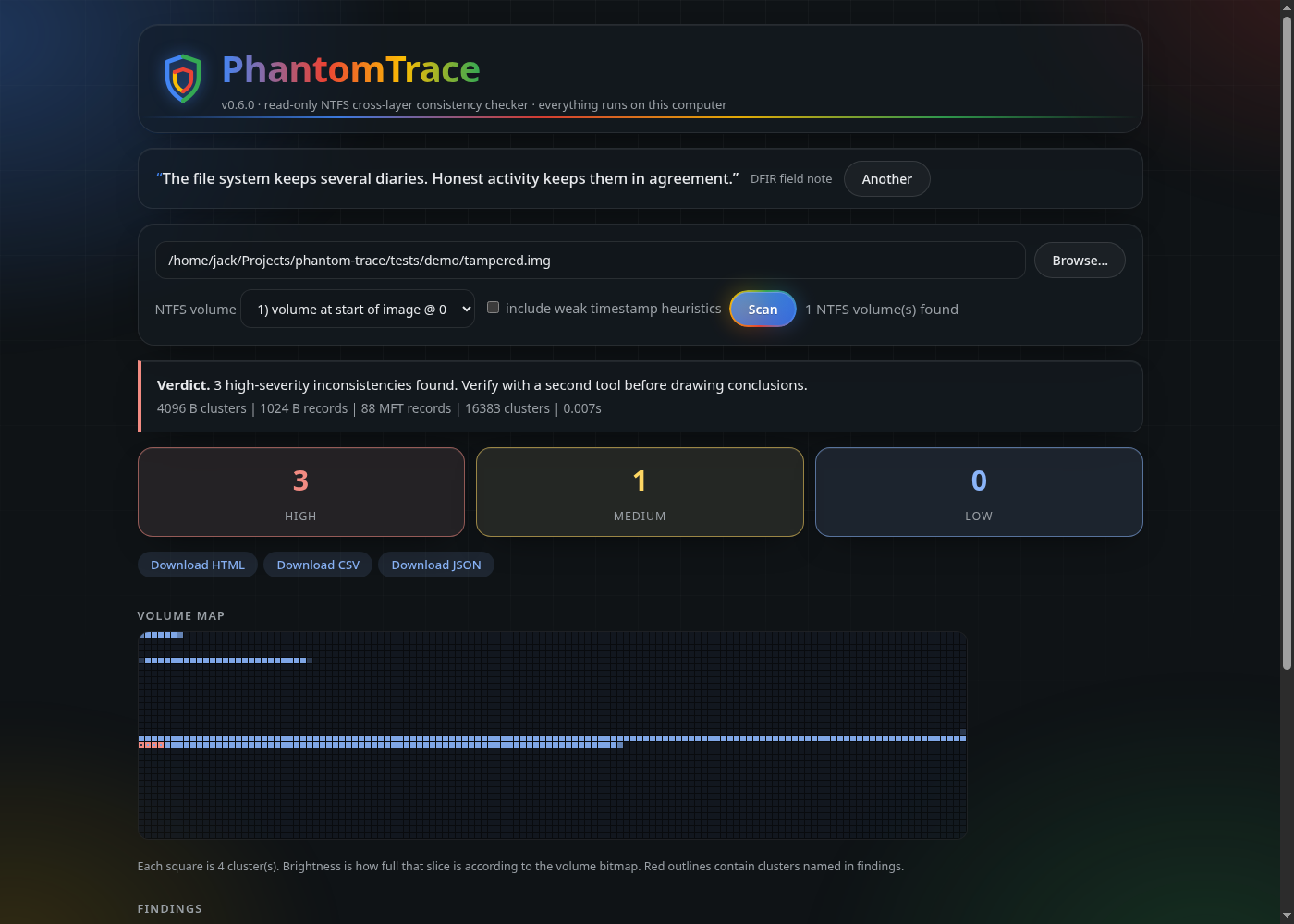
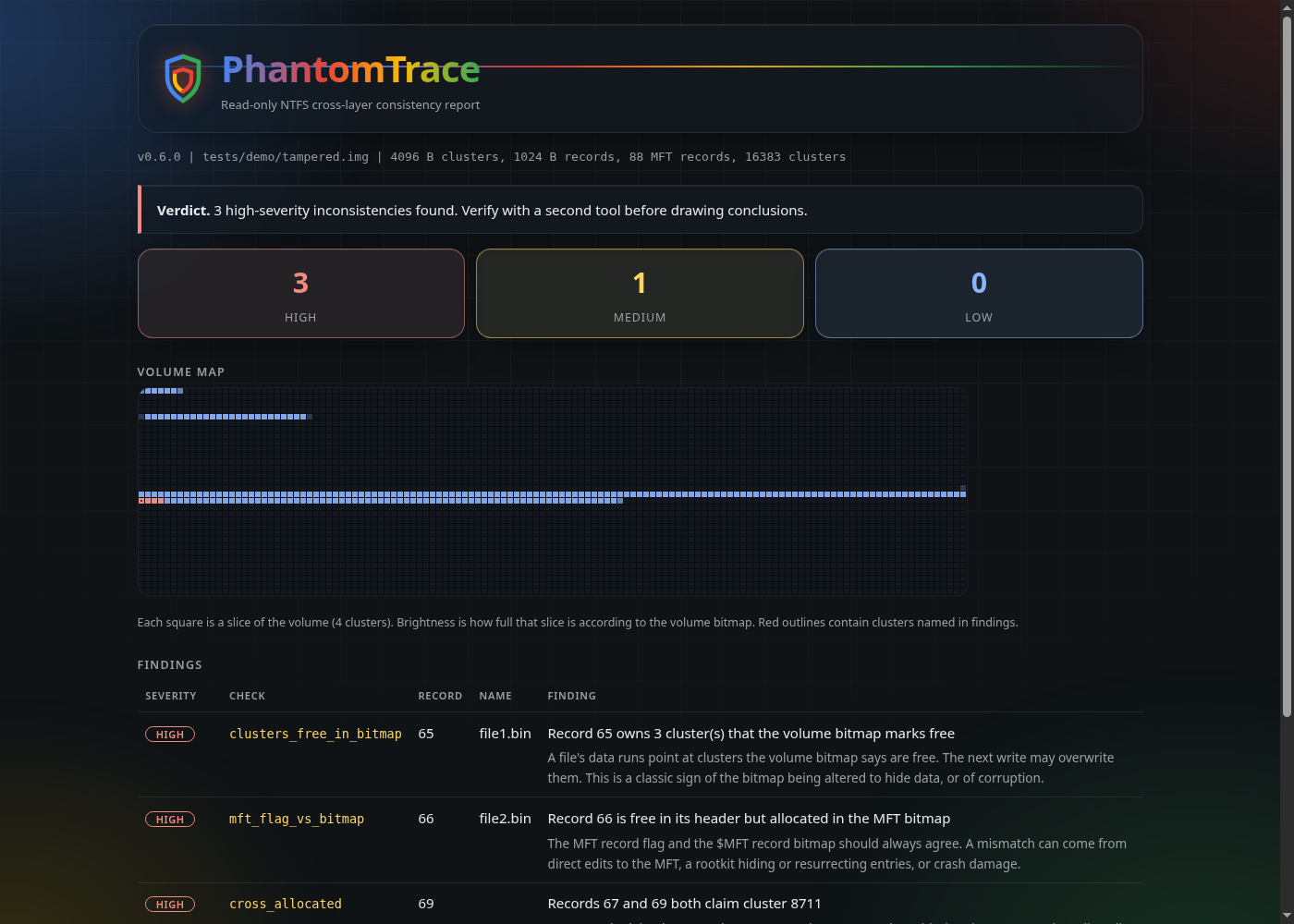
Every finding comes with a plain-English explanation of why it matters. The GUI also draws a volume map, with the affected clusters outlined in red, and you can export an HTML, CSV or JSON report.
How I tested it
The test suite builds real NTFS volumes with the ntfs-3g tools, tampers with them on purpose (clearing a file’s clusters in the bitmap, flipping a record’s flag, pointing one file’s run at another’s clusters, corrupting a fix-up), and checks that each check fires. Just as important, clean volumes, including one with 700 files, must stay quiet. A tool that cries wolf is worse than no tool.
What it can’t do (yet)
I’d rather tell you than have you find out. The test images were made with the ntfs-3g tools, not by Windows or by real anti-forensic software, so I can’t claim it holds up against those yet. A heavily fragmented $MFT with an $ATTRIBUTE_LIST is only partly read, and $LogFile and $UsnJrnl analysis aren’t there. A finding is a lead to verify with a second tool like The Sleuth Kit or MFTECmd, never proof on its own.
If you find a false positive, or tampering it missed, please open an issue. Those reports are the most valuable thing anyone can give it.
Try it
It’s on PyPI and has no dependencies:
pipx install phantom-trace-ntfs
phantom-trace --gui
or phantom-trace disk.img --html report.html from a terminal. Image the disk first and analyse the copy.
- Source: github.com/JackSessions/PhantomTrace
- Package: pypi.org/project/phantom-trace-ntfs
I built this with AI assistance (Claude). I decide what it checks, I test it, and the README says so. Next up: running it against Windows-made volumes and real tampering tools, and comparing results with MFTECmd on shared images.