Hayabusa Lens: From Raw Event Logs to an Attack Story, With an Audit Trail
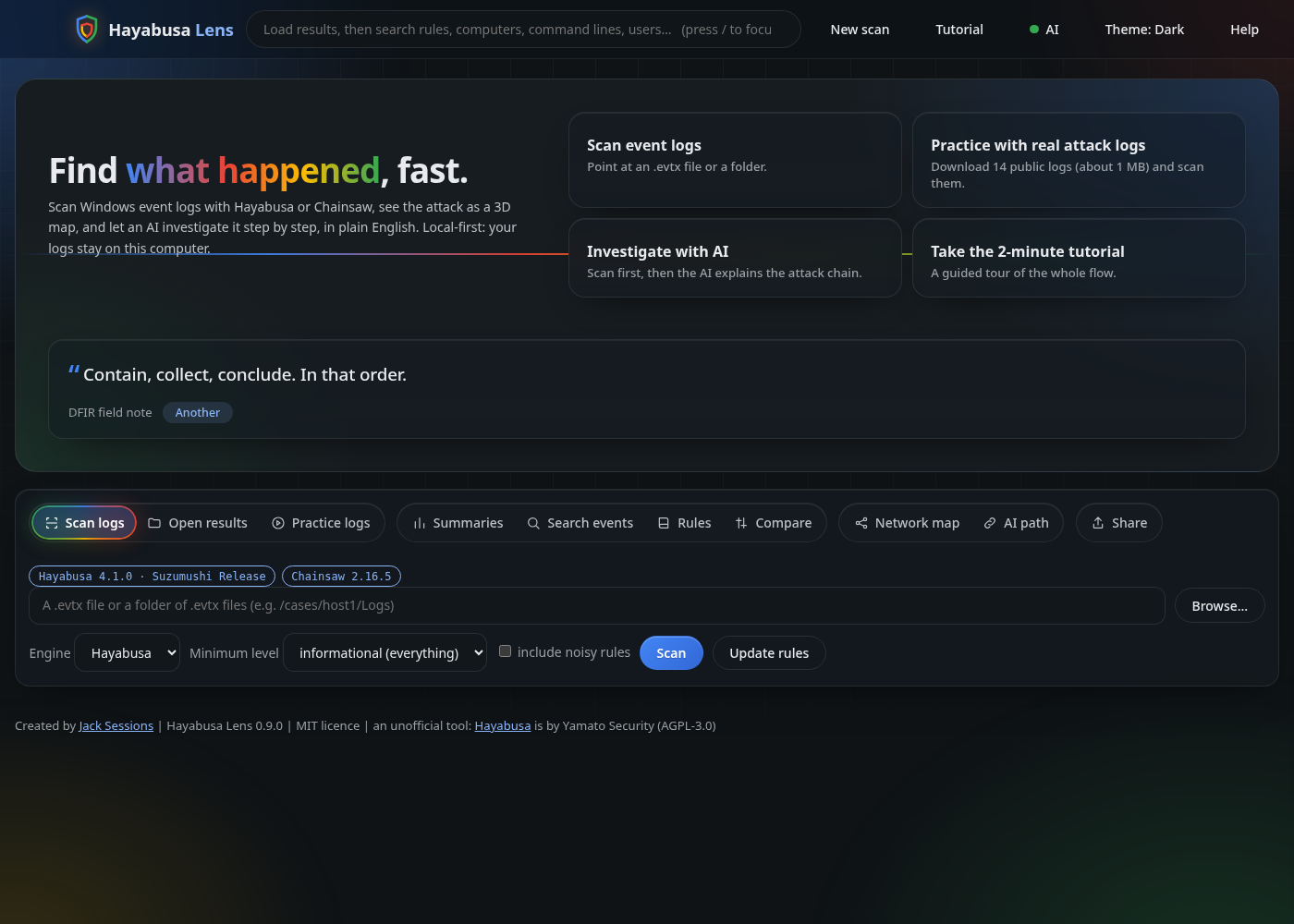
Windows event logs hold the evidence for most intrusions. A raw .evtx file is unreadable, and the excellent engines that scan them (Hayabusa and Chainsaw) give you a very large spreadsheet. I wanted the fast first look in between, so I built Hayabusa Lens.
What it does
Point it at .evtx files. It runs Hayabusa or Chainsaw, then gives you a dashboard: severity tiles, a zoomable timeline, ATT&CK tactics, and, for every alert, the actual Sigma rule that fired, right in the drawer. Nothing is hidden behind a click.
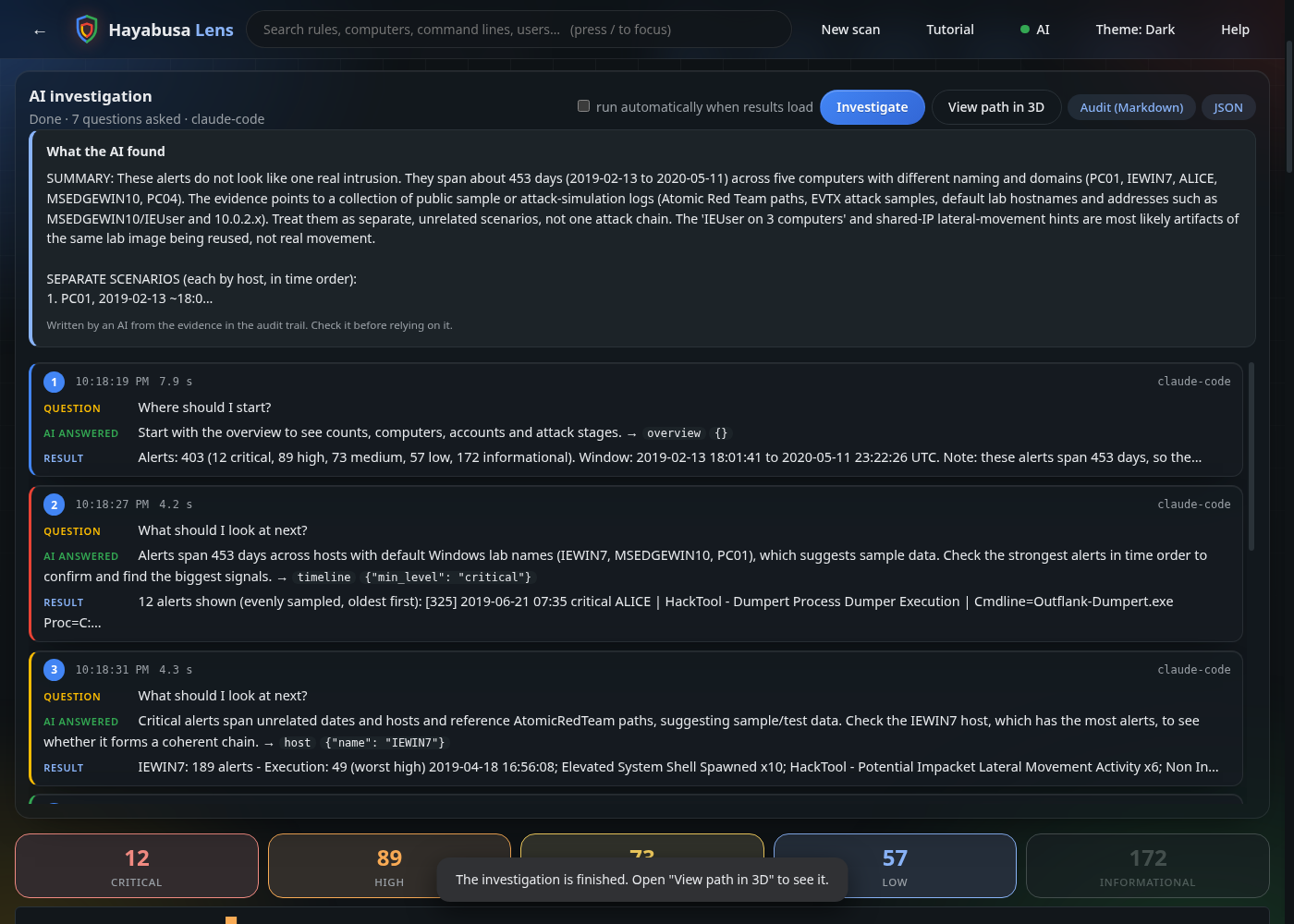
Then there’s the part I’m proudest of: an AI investigator. It explores the alerts step by step with a small set of read-only tools (overview, host, rule, search, timeline, event), decides what to look at next, and writes the attack chain in plain English: what happened, where, roughly when, what’s solid evidence and what’s a guess.
Why an audit trail
I didn’t want a black box. Every question put to the AI, every answer, the tool it chose and what that tool returned are recorded with times, live on the dashboard. You can click a step to read the full question, export the whole thing as Markdown or JSON, or send it to a SIEM. If an AI is going to help with an investigation, you should be able to see exactly how it reached its conclusion.
Safety decisions
- The AI can only use read-only tools over alerts already in memory. No shell, no files, no network.
- Log text is passed to the model as untrusted data, because a log could try to attack the analyst’s AI.
- It’s local-first. The AI can run entirely on your machine with Ollama. An online model (Claude or OpenAI) is only used if you pick one and tick a consent box. API keys stay in memory and are never written to disk.
- Sharing to a SIEM only happens after a preview and an explicit confirmation.
The map
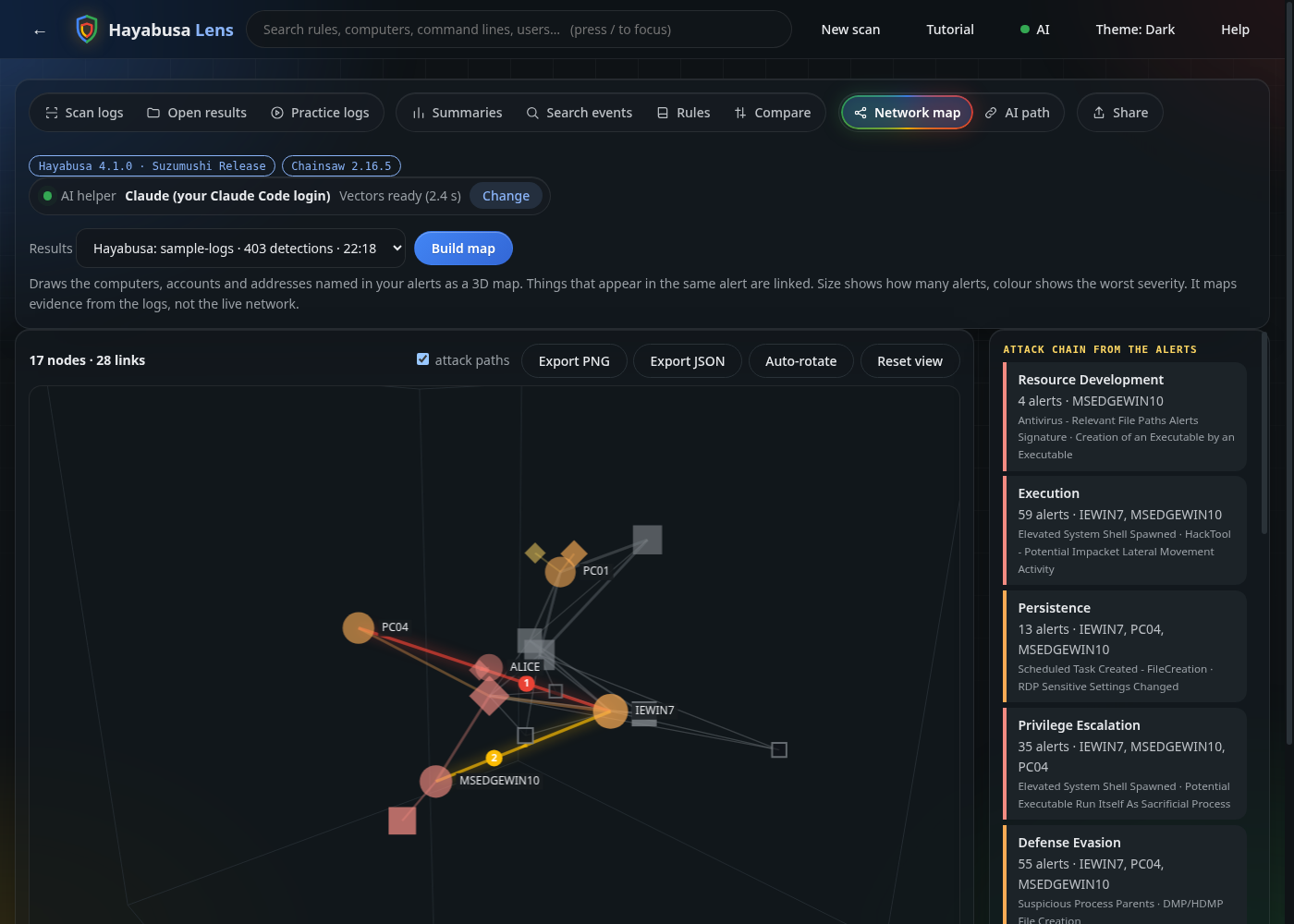
Alerts become a 3D map of computers, accounts and addresses, with the ATT&CK stages listed in order and numbered attack paths between machines. They’re evidence from the logs, not proof of movement, and the tool says so.
An honest result
I tested it on 14 public attack-simulation logs. Claude correctly told me they look like a collection of separate simulations rather than one intrusion, citing the 453-day span and the Atomic Red Team file paths. A small local model did not notice. That’s the kind of difference you should expect, and why the output is a lead to check, never a verdict.
Try it
It’s on PyPI, MIT licensed, with no dependencies:
pipx install hayabusa-lens
hayabusa-lens --samples
There’s a Tutorial button in the app that walks you through the whole flow in two minutes.
- Source: github.com/JackSessions/hayabusa-lens
- Package: pypi.org/project/hayabusa-lens
Hayabusa Lens is an unofficial tool, not affiliated with Yamato Security or WithSecure, and it credits the Sigma rules to the SigmaHQ community. I built it with AI assistance (Claude), and the README says so. I decide what it does and I test it.